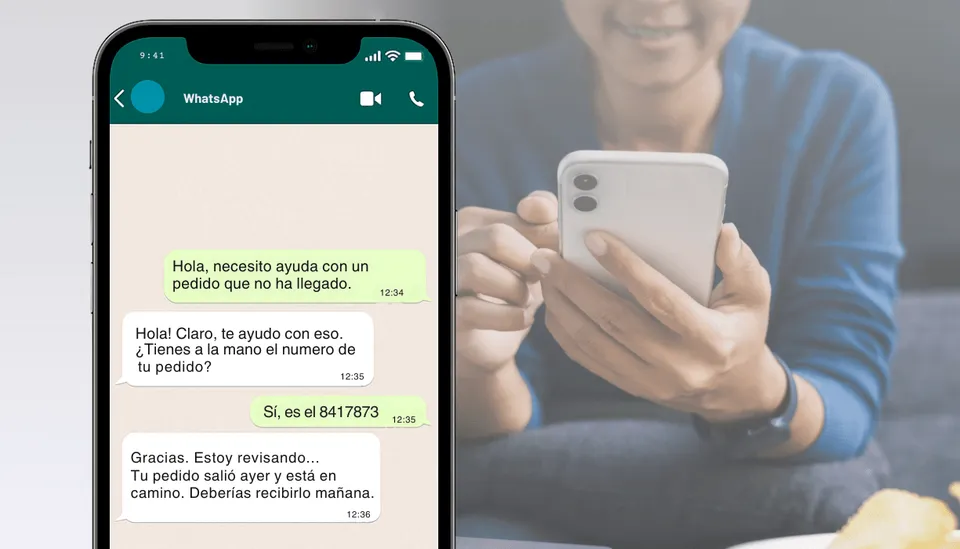
Conversational experiences on WhatsApp are key to smooth, efficient, user-centered communication. Designing them well can make the difference between a conversation that converts and one that frustrates. Here are the key principles to get it right.
Always answer the first message
Don't make users repeat what they've already said. If you already have the information you need from their first message, respond directly to that intent. Avoid generic greetings like “Hi, how can I help you?” if the person has already written: “I want to pay my loan”.
Don't ask for what you already have
One of users' biggest annoyances is having to repeat information they've already provided or that the system should already know. Asking for the ID number twice, requesting the email after it has been validated, or asking for the account number again within the same flow breaks the experience and creates distrust.
Before asking for a piece of data, ask yourself:
- Do I already have this in my database?
- Can I get it from another system, API, or service?
If the answer is yes, don't ask for it again. Make the effort on the development side; don't put that burden on the user. The goal is to minimize friction and make every interaction as smooth as talking to someone who already knows you.
The shorter the message, the better
On WhatsApp, less is more. People open the app to solve something specific, not to read. That's why long messages with unnecessary explanations or convoluted phrasing tend to be ignored. A short, direct text makes it easy for users to understand right away and take action.
On small screens, blocks of text are also overwhelming. Ideally, each message conveys a single idea and leaves visual space for the flow to move forward clearly. That doesn't mean being curt, but being clear, helpful, and friendly, in just a few words.
Think about your own reading: between a long block and a short message, you're most likely to read the short one. The same is true for your users.
Handling errors is more than showing an error message
Error handling on WhatsApp is a key part of conversational design. Showing a generic message like “There was an error” or “Something went wrong” is not enough. That only creates confusion and increases user frustration. A well-designed message should offer clarity, guidance, and continuity in the conversational flow.
Good error handling should do three things:
- Explain in plain language what happened.
- Tell the user what they can do next.
- Keep the conversation at the same point, without making the user start over.
Example: “The email you entered isn't valid. Could you check it and try again?” is far more useful than a plain “Validation error”.
Also, never leave the user without a response. If there's a system failure and no message is generated, the user is left not knowing what to do, and that seriously damages the experience. There should always be a message that provides context and options, even for technical errors.
Investing in these kinds of messages means improving the user experience, reducing drop-off, and building more trust in the WhatsApp interaction.
Ice breakers: show what can be done
When you first open an app, the visible buttons give you immediate guidance: “View products”, “Set up profile”, “Request help”. These elements don't just trigger actions; they also show the user what is possible in that environment.
On WhatsApp, we don't have a rich visual interface, but we do have ice breakers, which serve that educational purpose from the very first message.
You've probably seen them as options like:
📦 “View my orders”
💰 “Check my balance”
📞 “Talk to support”
These messages aren't just shortcuts: they help guide the interaction and motivate the user to take a specific action. You can easily set them up from Meta.
Meet the user's expectations
Often, even when the system hasn't failed, the experience is perceived as an error. For example, if a user clicks “Pay” and the first thing they receive is an unexpected question like “What country is your ID from?”, the flow breaks. The user doesn't understand why that step appears, and that creates confusion.
These failures, which aren't technical but conversational experience failures, happen when responses don't align with the user's intent. The mistake is not anticipating the expectation and replying with something that doesn't seem connected to the previous action.
A better way to fix it would be:
“Before processing the payment, we need to verify your identity. What country is your ID from?”
This simple change of context clarifies the purpose of the question, keeps the flow coherent, and avoids misunderstandings. That's how you build a more intuitive and professional experience.
A well-designed AI Agent on WhatsApp can be the difference between a frustrating experience and a satisfying one. Designing good conversational experiences isn't just about writing nice messages. Be clear, brief, and human, and you'll see how the interaction with your users improves.